


How a Split Expenses App Calculates Shared Costs
Planning a trip with friends, family, or colleagues is always exciting. But managing shared expenses can quickly become one of the biggest challenges. Whether it's paying for hotel rooms, transportation, meals, or activities, someone usually pays upfront, while others promise to pay back later. Without a proper system, keeping track of these expenses can become confusing and may even lead to unnecessary disagreements.
This is where a Split Expenses App becomes incredibly useful. Instead of manually calculating who owes what, a dedicated app records every shared expense, calculates balances automatically, and helps everyone settle payments fairly. If you're planning a vacation, road trip, business tour, or weekend getaway, using a reliable Trip Expense App can save both time and effort.
In this guide, we'll explain what a Split Expenses App is, how it works, and why it has become an essential tool for modern groups.
What Is a Split Expenses App?
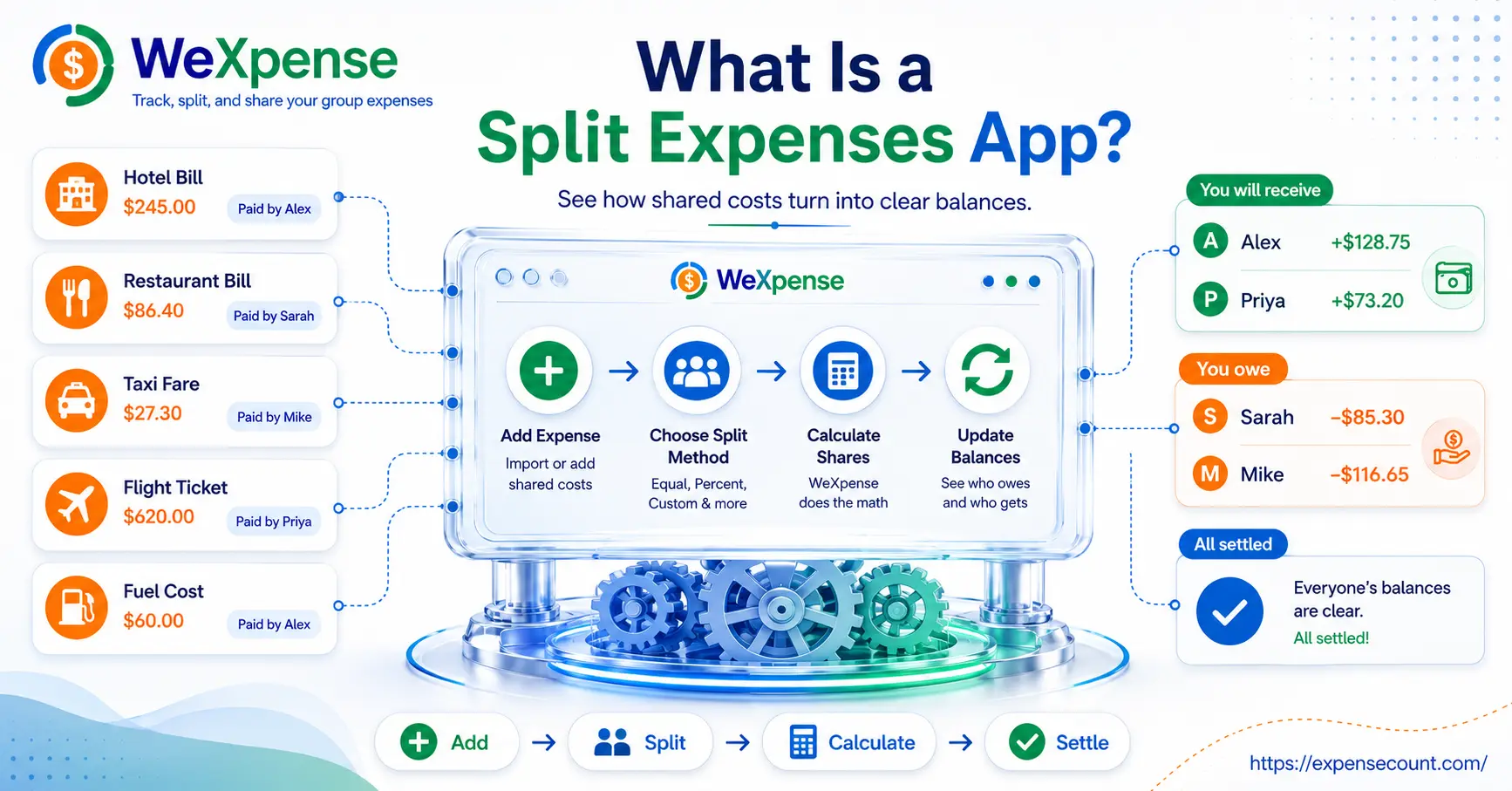
Imagine four friends traveling to Europe. One person pays for fuel, another books the hotel, and someone else covers meals. Instead of calculating everything manually. Split Expenses App tracks each payment and instantly shows who owes whom.
Whenever your group pays for an expense, each member simply records it in the app. The app calculates how much each participant owes based on the selected sharing method. Throughout the trip, everyone can see updated balances. It helps make the entire process transparent and easy to understand. Split Expenses App not only tracks expenses but also simplifies settlements. The app ensures everyone pays their fair share.
How Does a Split Expenses App Work?
Although different apps may offer different features, the basic process is simple.
1. Create a Trip or Group
The first step is to create a new trip or expense group. This could be for:
- Family vacations
- Friends' trips
- Business travel
- Office retreats
- Road trips
- Bachelor or bachelorette parties
- College tours
- Weekend getaways
Once the group is created, you invite everyone who will be sharing expenses.
2. Add Shared Expenses
Whenever someone makes a payment, they add the expense to the app.
Common shared expenses include:
- Hotel bookings
- Flight tickets
- Taxi fares
- Fuel costs
- Restaurant bills
- Groceries
- Tourist attractions
- Event tickets
- Shopping expenses
Each expense usually includes details such as the amount, who paid, the expense category, date, and optional notes.
3. Choose How to Split Each Expense
Not every shared expense should be divided equally. A quality Split Expenses App provides multiple ways to split costs, including:
- Equal split among everyone
- Split between selected members
- Custom amounts for each person
- Percentage-based sharing
This flexibility ensures every expense is divided fairly according to the situation.
4. Track Balances Automatically
One of the biggest advantages of using an app is automatic balance calculation. Instead of manually calculating everyone's contributions at the end of the trip, the app continuously updates:
- Total trip spending
- Individual contributions
- Outstanding balances
- Who owes whom
This helps everyone stay informed throughout the journey.
5. Settle Payments Easily
When the trip ends, the app calculates the simplest way for everyone to settle outstanding balances. Rather than making multiple unnecessary payments between group members, everyone knows exactly how much they need to pay and to whom. This reduces confusion and makes settling expenses quick and hassle-free.
Who Should Use an Expense App?
A Trip Expense App is useful for anyone sharing expenses with others, including:
- Friends traveling together
- Families on vacation
- Couples taking long trips
- Business teams
- Backpackers
- College students
- Tour groups
- Event organizers
Whether your group has three people or thirty, an expense tracking app makes managing shared costs much easier.
Tips for Managing Shared Expenses
To make the most of a Split Expenses App, follow these simple practices:
- Record every expense as soon as it is paid.
- Use clear expense categories for better organization.
- Add notes whenever an expense needs additional explanation.
- Review expenses regularly during the trip.
- Settle balances soon after the trip ends.
These habits help maintain accurate records and prevent last-minute confusion.
Final Thoughts
Managing shared travel expenses doesn't have to be difficult. A reliable Split Expenses App simplifies every step—from recording expenses and calculating balances to settling payments fairly. Whether you're traveling with friends, family, or colleagues, using a dedicated Trip Expense App helps keep everyone organized, informed, and stress-free. If you frequently plan group trips, switching from manual calculations to an expense-sharing app can save time, reduce misunderstandings, and make every journey more enjoyable.
Ready to Simplify Your Next Trip?
Looking for an easier way to split bills and track travel expenses?
WeXpense is a powerful Split Expenses App and Trip Expense App designed to help you manage shared costs, track spending in real time, and settle balances effortlessly. Whether you're planning a weekend getaway, an international vacation, or a business trip, WeXpense keeps your group expenses organized from start to finish.
Download WeXpense today and make your next trip stress-free.
Google Play: Download the Split Expenses App for Android
App Store: Download the Split Expenses App for iPhone
Start tracking, splitting, and settling expenses the smarter way with WeXpense.